Acon Digital have been consistently releasing audio software with incredible value for money since its inception 25 years ago. The release of Acoustica 8 sees the ‘biggest leap forward Acoustica has taken to date’. Implementing user feedback to make improvements to machine learning, upgrades to Spectral Editing, expanded ARA 2 compatibility, a wide-ranging U.I overhaul, and much more.
Company: Acon Digital
Product: Acoustica 8 - Ultimate Edition
Price: £359 (£269 Introductory offer at the time of writing)
Our Rating: 4.8/5
TL;DR — Quick Summary
Acoustica 8 is Acon Digital's latest major upgrade to its all-in-one audio editing, restoration and mastering suite. Noteable inclusions are improved machine learning, upgrades to spectral editing, full ARA 2 integration and a sleek, customisable UI. It’s especially strong for dialogue editing, restoration, podcasts and post-production, balancing automation with precise manual control. The price tag of £359 (£269 intro offer), for a rare perpetual licence offers excellent value for money.
Overview:
Acoustica is Acon Digitals one stop shop for audio editing, restoration and mastering. Filled with must have tools for creatives working in Audio Post Production, Music Production, and even Online Content Creation. The latest release includes a number of tools geared specifically to the latter. There are plenty of great additions that are reason enough to consider adding Acoustica 8 to your Audio Post toolkit. Today, we will be reviewing the 'Ultimate' Edition of Acoustica 8.
In Their Own Words:
“Acoustica 8 is a complete audio editing, restoration and mastering platform — a standalone application backed by a full plugin suite. Buy it once, keep it forever. Choose Standard for a powerful entry point, Premium for the complete toolkit, or Ultimate for full post-production control — either way, you get serious audio software at a price that makes sense.”
Key Features & Benefits:
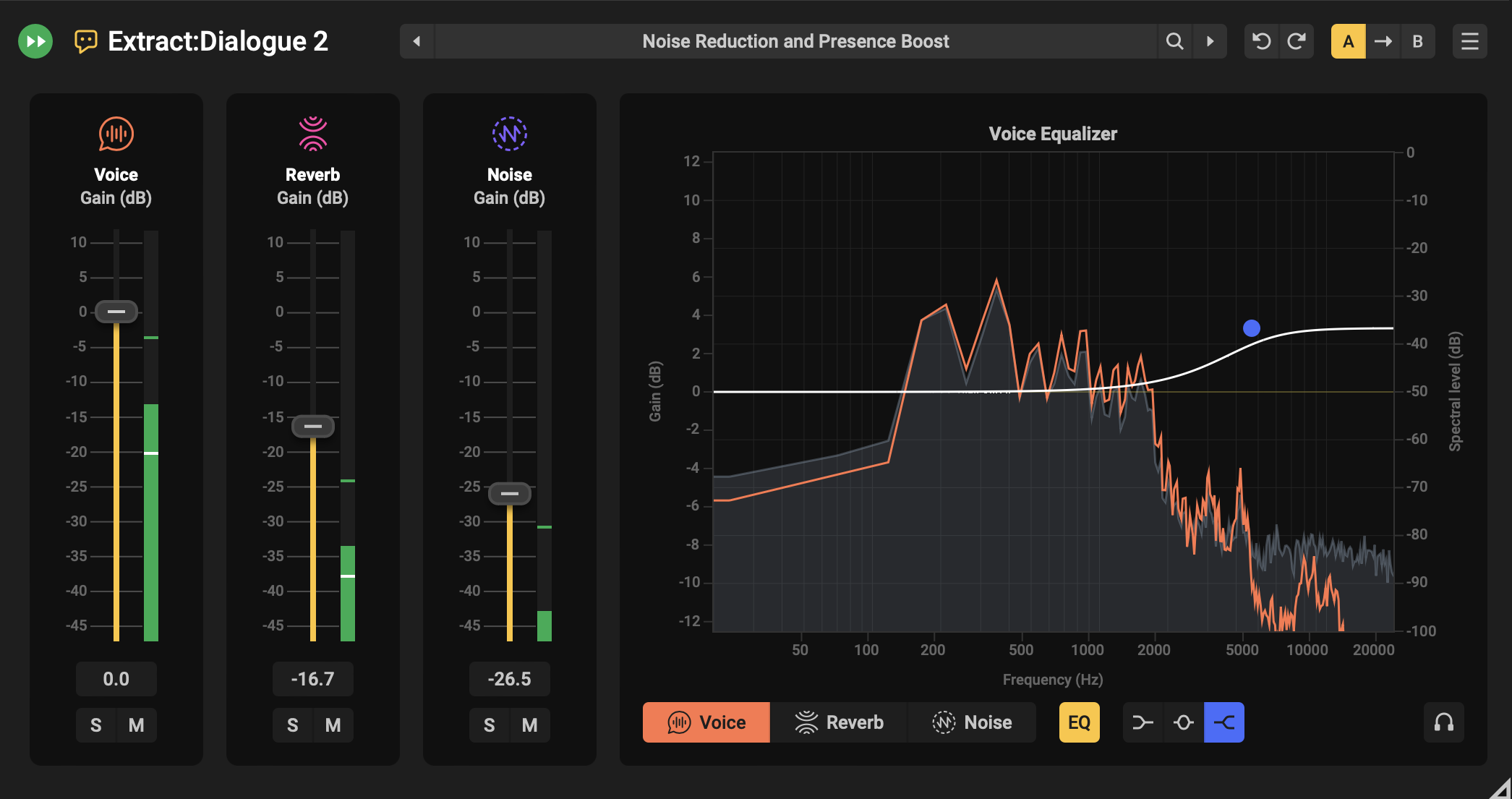
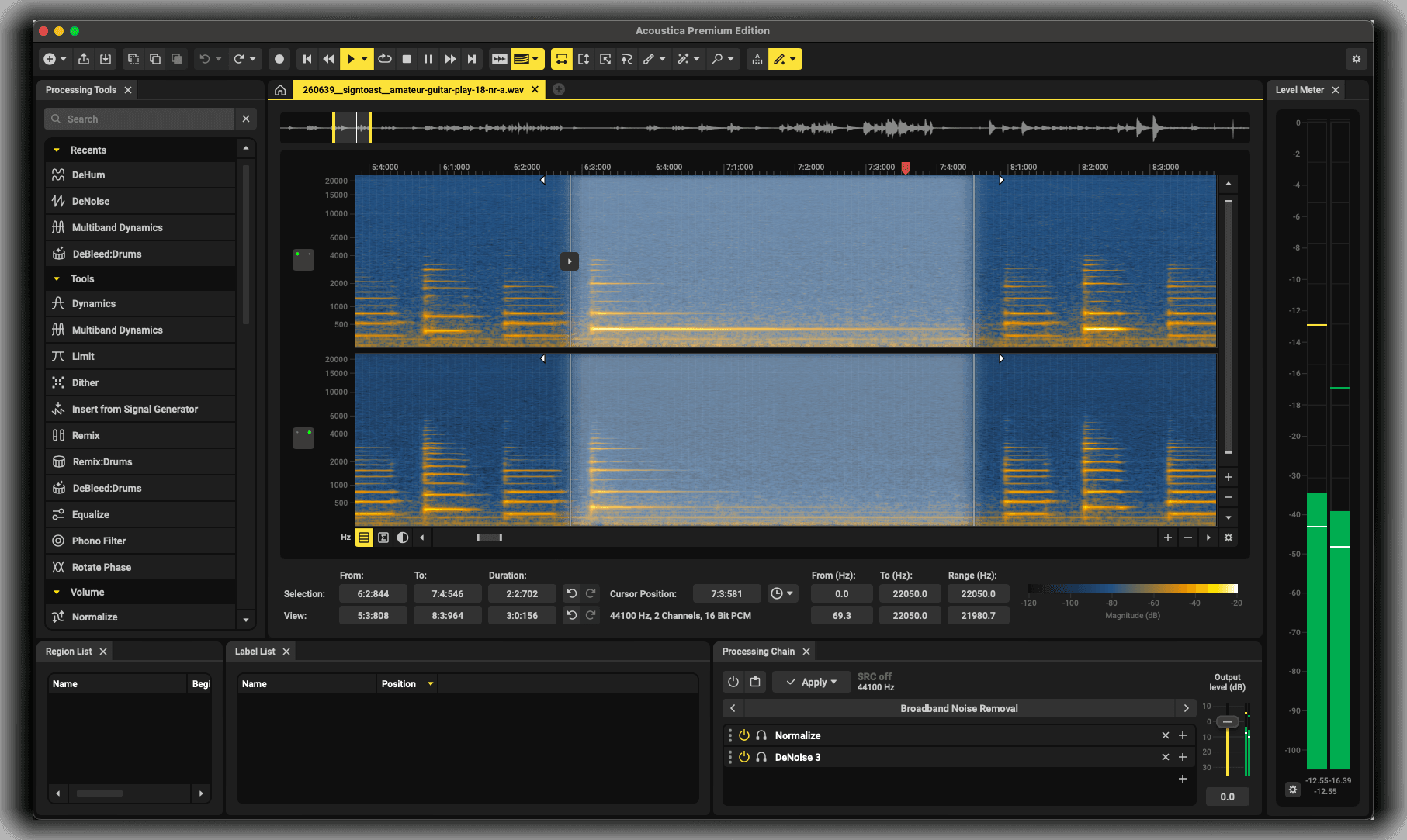
Upon launching Acoustica you’ll find a cleanly laid out welcome page giving you the option to import files, multitrack sessions, CD projects and the batch processor. Once you’ve loaded in an audio file, you’ll notice a familiar layout to previous Acoustica versions and other software such as Izotope RX. Everything you need to see, know or access is visible in the default layout, such as the waveform/spectrogram view, all available tools, effects and enhancements on your left and a variety of additional modules such as media file browsers etc across the bottom of the window. Having access to so many features on one page in the default configuration does make it feel a little cluttered, and could be a little overwhelming for a first time user. However, the ability to freely remove, and re-configure the layout and modules of your window will negate most visual clutter problems in a few clicks of your mouse. The U.I overhaul to match recent product upgrades such as Extract:Dialogue2 is a very welcome upgrade. It feels modern and sleek with just the right amount of colour, being used in all the right places, to not only highlight in-use controls and crucial information, but make Acoustica (and Acon’s product line as a whole) instantly recognisable.
One of my favourite additions to Acoustica 8 is the boundary feathering function. When using Spectral repair tools to remove or reduce sounds that exist in a very specific area of the frequency spectrum, you can sometimes struggle to process one precise frequency selection as heavily as needed without an audible change in the whole frequency spectrum. This feature uses ‘time and frequency feathering to soften the boundaries of your selection’, allowing the altered signal to be blended more seamlessly than ever with the surrounding audio.
Another feature that received an overhaul is ‘Audio Fill’; An alternative to Izotope's Ambience Match that has appeared in previous iterations of Acoustica. Whilst the previous version did a good job filling in gaps with more static sounding filler, it struggled with some more complex, and dynamic noise profiles. The new and improved version does a fantastic job analysing the surrounding audio and generating very convincing results. This is very useful in a wide range of scenarios. But I can see this being an incredible tool for documentaries featuring a lot of exterior footage and interviews, low budget indie shorts/features, and online/YouTube creators.
Acoustica 7 Premium allowed the use of the Editor within your Pro Tools ARA tab. However, the update includes full suite integration on all 3 versions of Acoustica (Standard, Premium, Ultimate). Having the full capabilities of Acoustica available through the combination ARA and individual inserts/AudioSuite Plug-in’s is a welcome addition that will allow users to keep your workflow focused, and audio in Pro Tools.
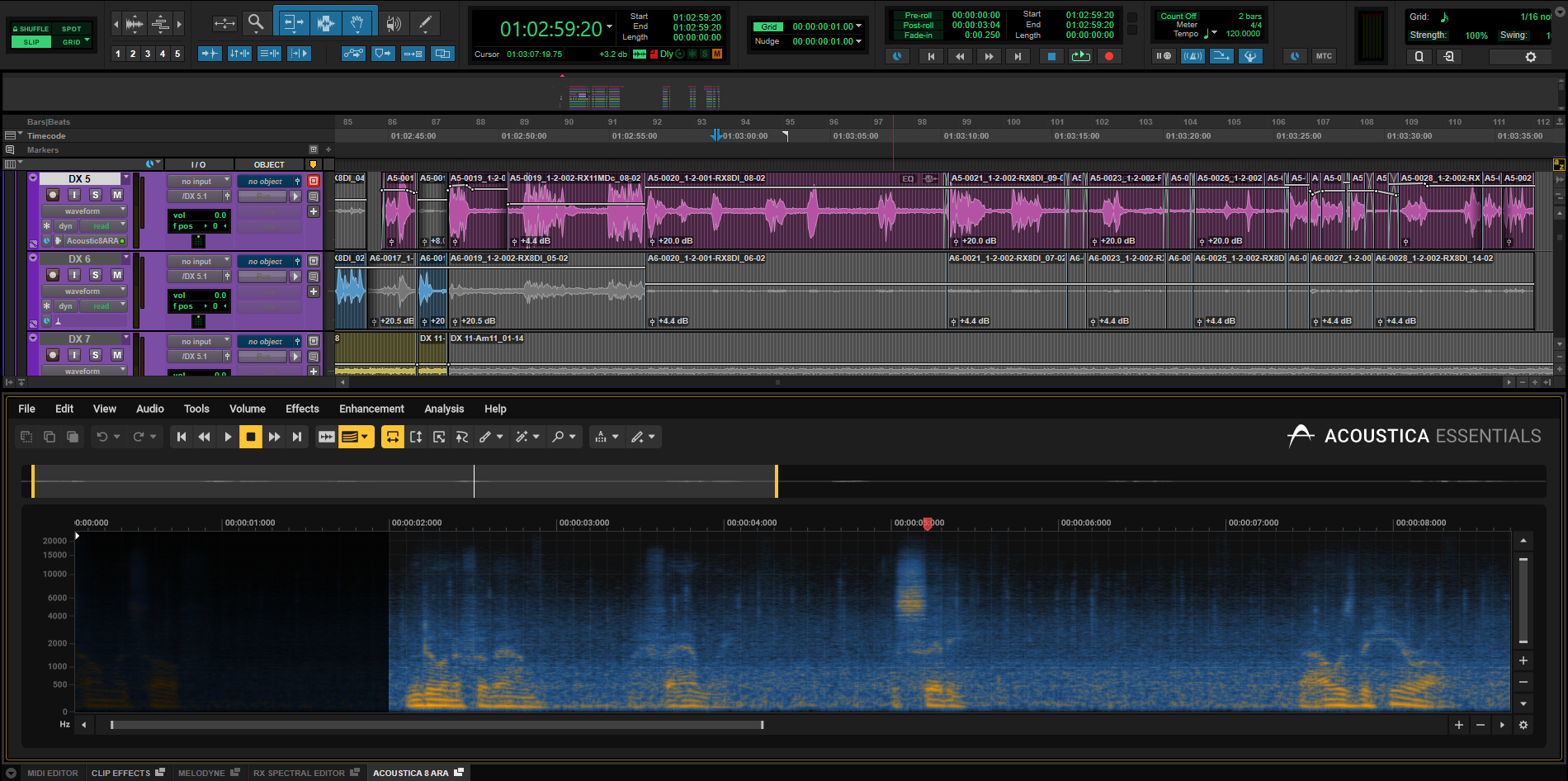
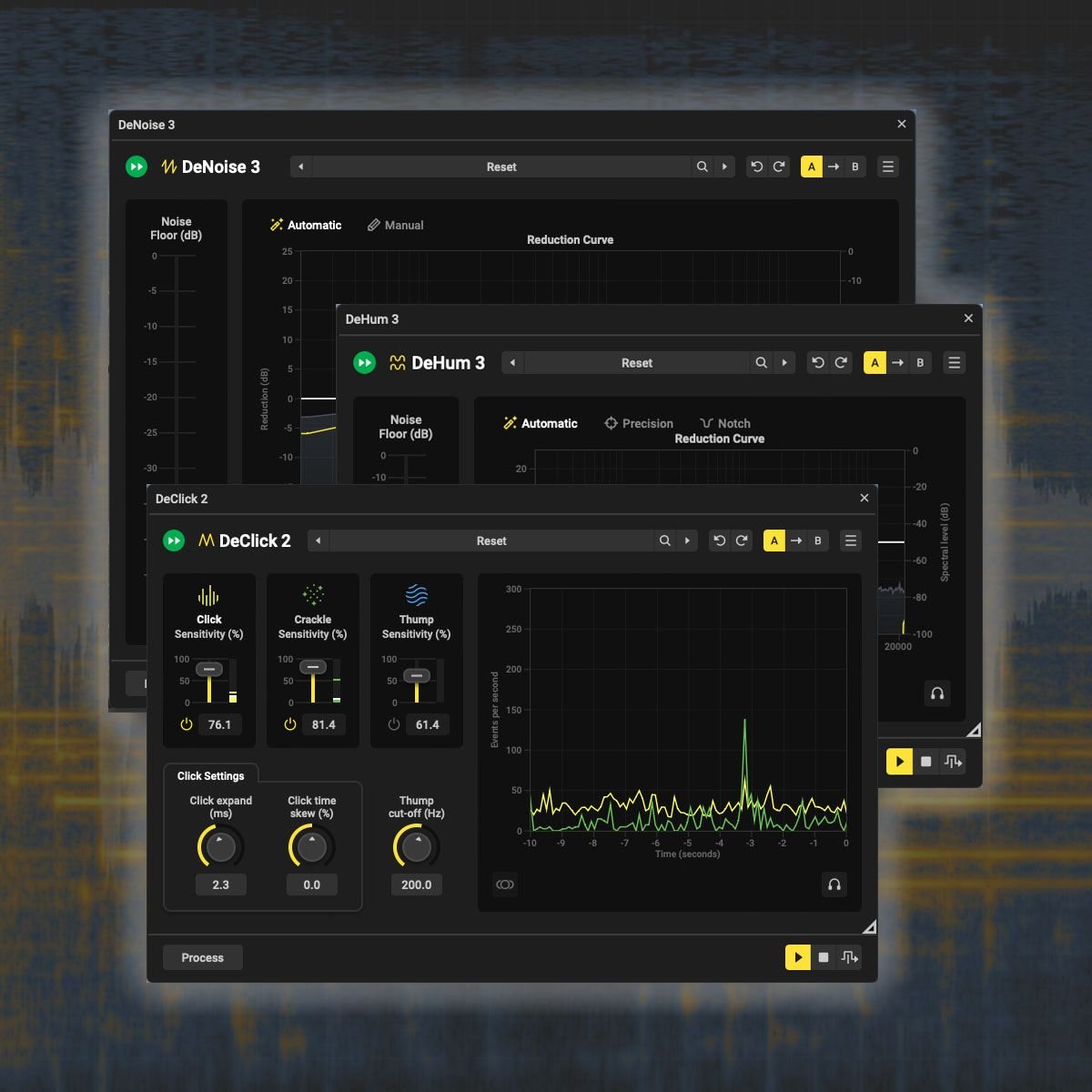
We’ve reviewed a number of previous versions of Acon Digital plug-ins that are included in Acoustica8 over the years (including our recent 5/5 review for Extract:Dialogue2, plus Acoustica Premium and Deverberate 3). Knowing those tools do the job they’re designed for, very well, we’ll focus on the improvement to the machine-learning technology within these tools for this section. Acon’s goal here was to reduce repetitive and mundane processes to allow users to focus wholly on important creative decisions. And for the most part, they’ve succeeded. The need to analyse the noise profile of a clip is one of the tasks machine learning has replaced with the default ‘automatic’ mode. And in testing on audio with singular issues (i.e only Hum, Hiss etc) it did a great job of accurately detecting and reducing problematic signal without completely removing the characteristics of the environment it was captured in, and most importantly, keeping the full frequency spectrum of the dialogue intact. The option to manually locate issues is still a welcome, and crucial inclusion for more challenging restorative tasks, when the algorithms of individual plug-ins/modules can struggle to accurately isolate the problematic areas; However, making use of the ‘Acoustica Link’ plug-in, you’re able to manually locate the problems with pin-point accuracy using the spectogram, combine a few plug-ins and tools Acoustica includes that are suited to your specific issue, and you’re onto the next task.
What It’s Useful For:
Whilst Acoustica 8 has taken broader steps to appeal to Music Producers and online Content Creators in this update. As always, they’ve done a great job at listening to their users in Audio Post and improving their products in ways that allow for improved workflow efficiency, without relying solely on machine learning or compromising on end results. We would use Acoustic 8 within our Dialogue Editing, Podcast/Audiobook Editing, Field Recording Editing, Sound Effects Batch Processing and Audio Restoration workflows.
The Bottom Line
Acon’s great track record of providing arguably the best value for money out there with their products continues on. Outside of functionality, Acoustica 8 is available as a perpetual license which is something we, alongside many other creatives, appreciate in a world of endless subscription models.
Even though some additions have less of a use case in Audio Post, what is targeted at users in this field continues to add both functionality and time-saving value to an already great product. Although, As mentioned in our previous Acoustica review; we would love to see the introduction of an offline loudness analyser in future updates.
Acoustica 8 Ultimate is available as a stand alone software, VST, AAX and AU.
For more from Acon Digital and the purchase information for Acoustica 8, follow these links: